Add a school or daycare schedule to your calendar
Share a newsletter, a daycare flyer, or a screenshot from the school app you already use. Herds reads the dates and adds them to your calendar.
What you scan
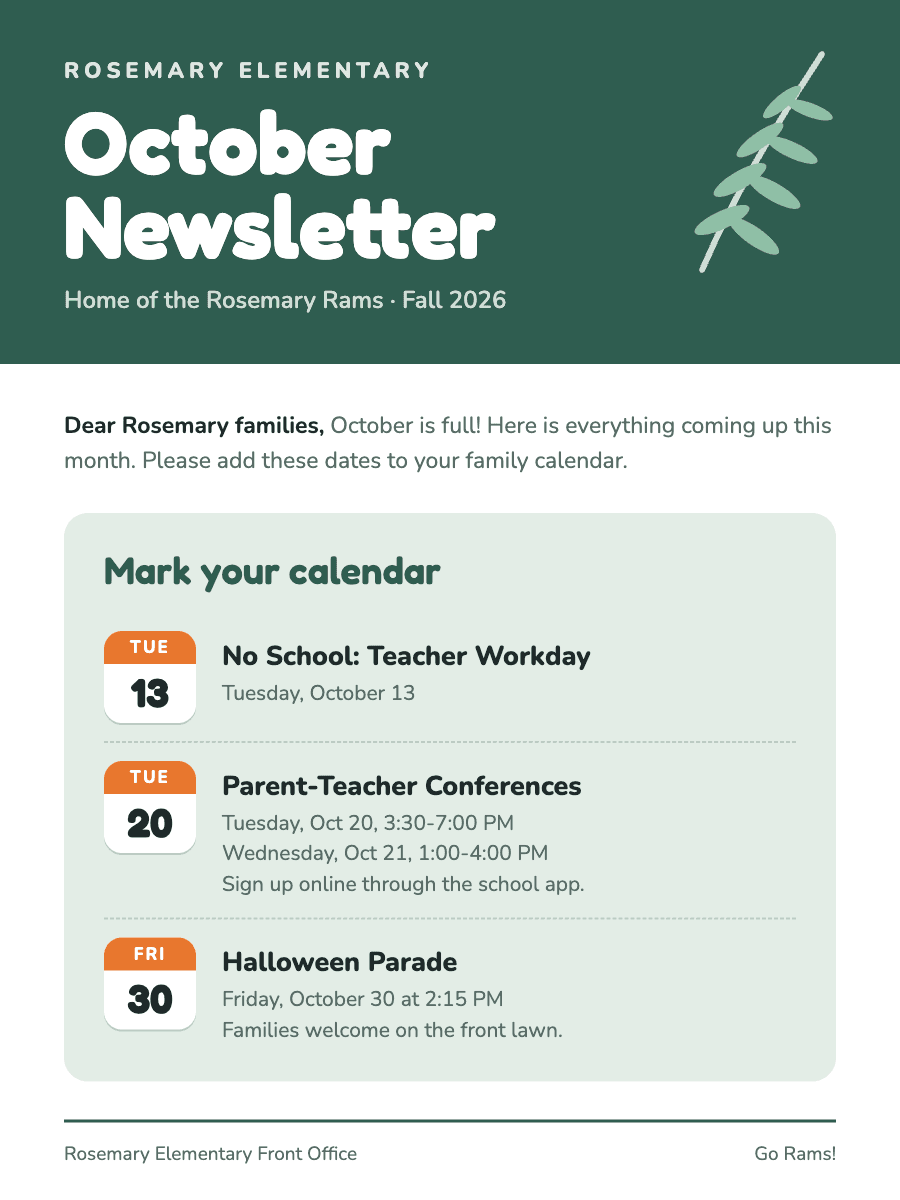
What lands on your calendar
4 events
- No School: Teacher WorkdayTue, Oct 13
- Parent-Teacher ConferencesTue, Oct 20 · 3:30-7:00 PM
- Parent-Teacher ConferencesWed, Oct 21 · 1:00-4:00 PM
- Halloween ParadeFri, Oct 30 · 2:15 PM · Rosemary Elementary
Where your schedule comes from
These are sources you already have. Herds does not ask you to log in to them.
Brightwheel
Screenshot a Brightwheel message or event post. Herds reads closures and events with their dates.
ClassDojo
Screenshot a ClassDojo story or message. Herds pulls out dates like picture day or a field trip.
ParentSquare
Share the ParentSquare email, or screenshot the post. Herds finds every date in it.
Remind
Screenshot the Remind message. Herds reads the date and time the teacher sent.
Seesaw
Screenshot the Seesaw announcement. Herds adds the event it describes.
Newsletters
Share the newsletter PDF or email. Herds finds each event in it.
Daycare flyers
Snap the flyer at pickup. Herds reads the closure days and events.
Herds is not affiliated with these apps. Names belong to their owners.
Questions
Can Herds read a whole school newsletter?
Yes. Herds finds every event in one scan. You can uncheck any you do not want before they go on your calendar.
Do I need to connect Brightwheel or ClassDojo?
No. Share a screenshot, email, or PDF you already have. Herds does not ask you to log in to school apps.
How It Works
- 1
Snap a Photo or Screenshot
Take a picture of any event flyer, poster, or sign — or screenshot an event from social media, a website, or a text.
- 2
AI Extracts Details
Our AI reads the image and pulls out the event name, date, time, location, and more.
- 3
Added to Calendar
The event syncs to your calendar automatically — no manual typing.