Add church events to your calendar
Share a bulletin, a parish PDF, or a screenshot from the church app you already use. Herds reads the dates and adds them to your calendar.
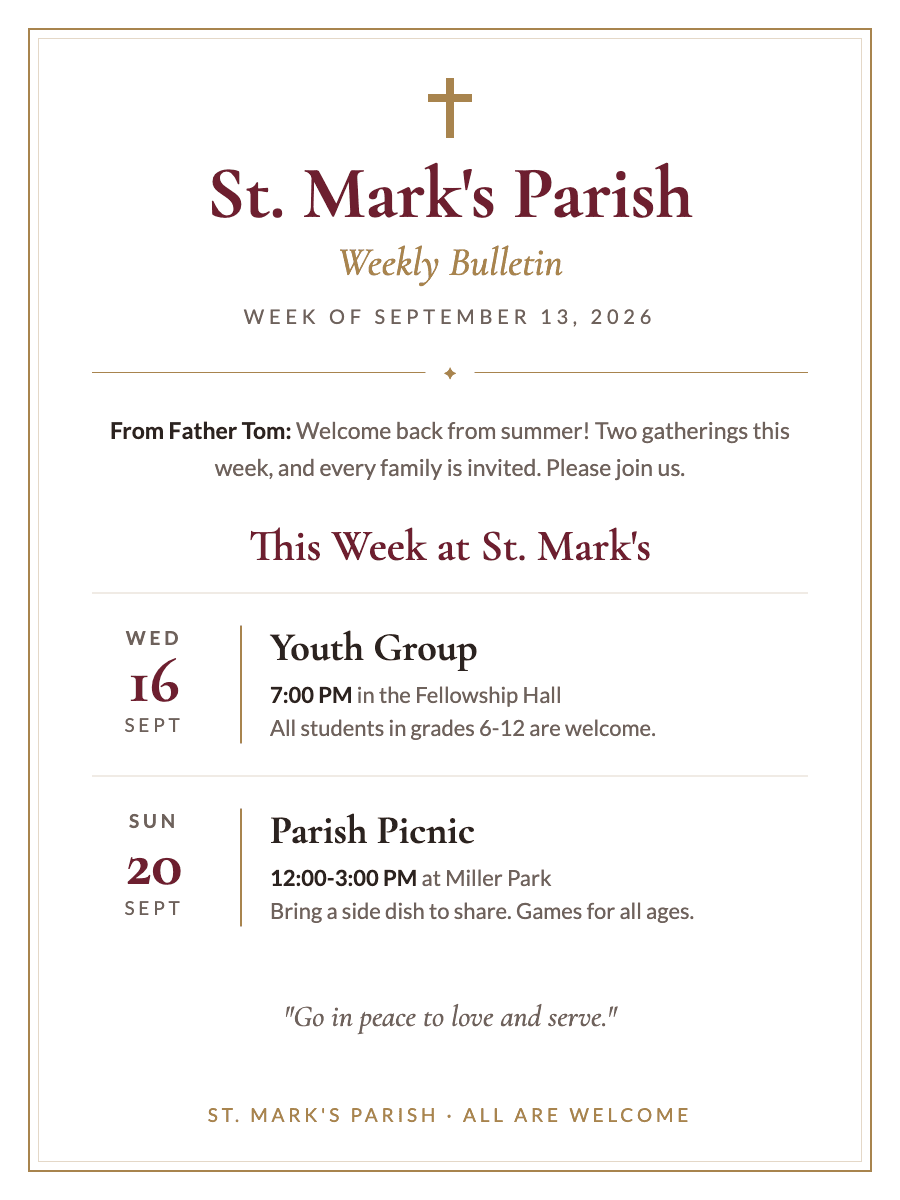
What you scan
What lands on your calendar
2 events
- Youth GroupWed, Sep 16 · 7:00 PM · Fellowship Hall
- St. Mark's Parish PicnicSun, Sep 20 · 12:00-3:00 PM · Miller Park
Where your schedule comes from
These are sources you already have. Herds does not ask you to log in to them.
Planning Center
Screenshot the event in Planning Center, or share the email. Herds adds the date, time, and place.
Church Center
Screenshot the Church Center event page, or share its link. Herds reads the date, time, and place.
Subsplash
Screenshot the event in your church's Subsplash app. Herds adds it to your calendar.
Pushpay
Screenshot the event in your church's Pushpay app, or share its link. Herds adds it to your calendar.
Parish bulletins
Snap the printed bulletin, or share the PDF. Herds finds each event and schedule change.
Herds is not affiliated with these apps. Names belong to their owners.
Questions
Can Herds read a printed bulletin?
Yes. Take a photo of the page. Herds finds each event in it, with its date, time, and place.
Do I need to log in to my church app?
No. Share a screenshot or link you already have. Herds does not ask you to log in.
How It Works
- 1
Snap a Photo or Screenshot
Take a picture of any event flyer, poster, or sign — or screenshot an event from social media, a website, or a text.
- 2
AI Extracts Details
Our AI reads the image and pulls out the event name, date, time, location, and more.
- 3
Added to Calendar
The event syncs to your calendar automatically — no manual typing.