Single event
“Emma's 8th Birthday Party! Saturday, October 17 from 2-4pm at Sky Zone. 1020 Main Street. Please RSVP by Oct 10.”
Emma's 8th Birthday Party
- Saturday, Oct 17 · 2:00-4:00 PM
- Sky Zone · 1020 Main Street
Snap a photo or screenshot of any event flyer, poster, or social post — Herds uses AI to extract the details and sync it straight to your calendar.
You already have the details. They're just not on your calendar.
Built for whoever keeps the family calendar straight: school, sports, church, daycare, birthdays, parties, appointments, and everything else.
The details are already on your phone. Getting them onto your calendar is the annoying part.
Title. Date. Time. Location. One field at a time, for every event.
Wrong calendar. Broken button. Or nothing happens at all.
You downloaded the calendar file. Now you have to figure out what to do with it.
The coach text. The birthday invite. The Instagram post. The flyer. The email.
“Later” has a way of becoming never.
You add the important ones. The rest disappear back into your inbox.
School, sports, church, and daycare each have their own app.
Your calendar is somewhere else.
No accounts to connect. No integrations to configure.
Share the screenshot, email, PDF, or link you already have. Herds finds the event details and turns them into calendar events.
Whether it's one birthday party, a season schedule, or practice every Tuesday, Herds gets it onto your calendar.
“Emma's 8th Birthday Party! Saturday, October 17 from 2-4pm at Sky Zone. 1020 Main Street. Please RSVP by Oct 10.”
Emma's 8th Birthday Party
“Fall calendar: Picture Day Oct 8. Book fair Oct 14-16. Early release Oct 22. Fall festival Oct 25, 5-8pm.”
4 events
“Soccer practice every Tuesday, Oct 27 to Nov 17, 6:00-7:15pm at the rec center.”
4 events
However the event reaches you, there's a fast way to get it into Herds.
Send an image, URL, or PDF to Herds directly from Messages, Mail, Safari, and other apps.
Take a photo of the flyer on the fridge, the sign at school, or the schedule on the wall.
Choose a screenshot or photo from your library, upload a file, or paste a URL inside Herds.
Download Herds free. Next time an event crosses your screen, don't save it for later.
Download FreeFrom photo to calendar in seconds.
Take a picture of any event flyer, poster, or sign — or screenshot an event from social media, a website, or a text.
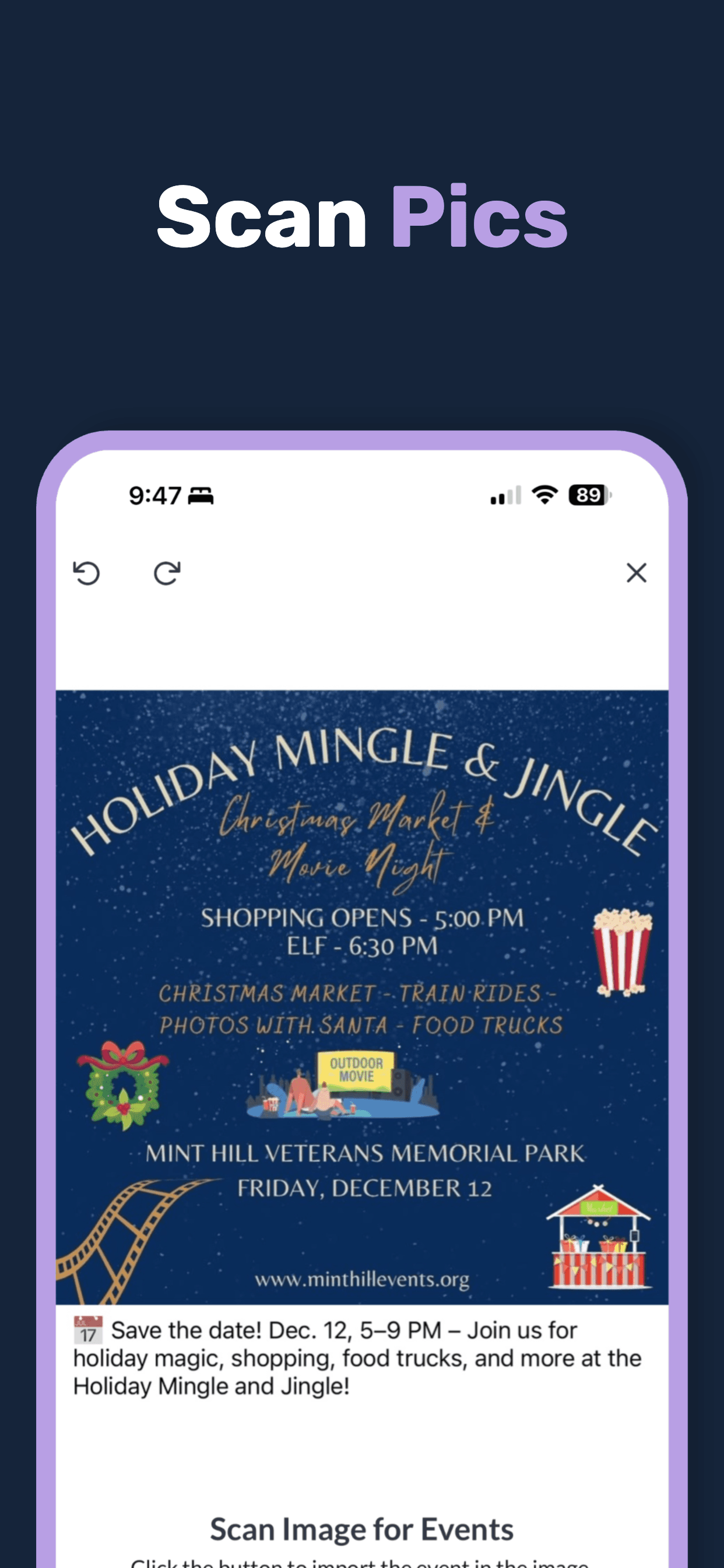
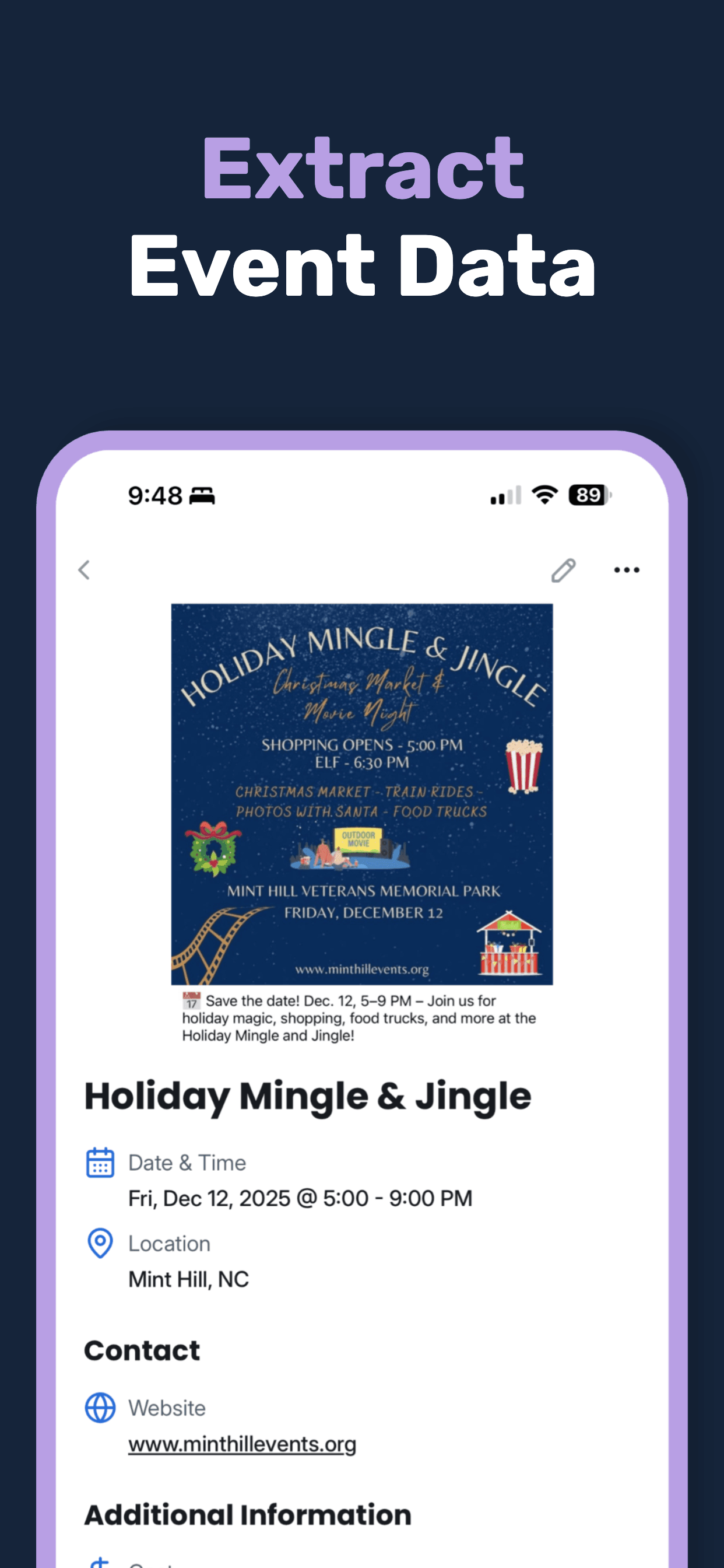
Our AI reads the image and pulls out the event name, date, time, location, and more.
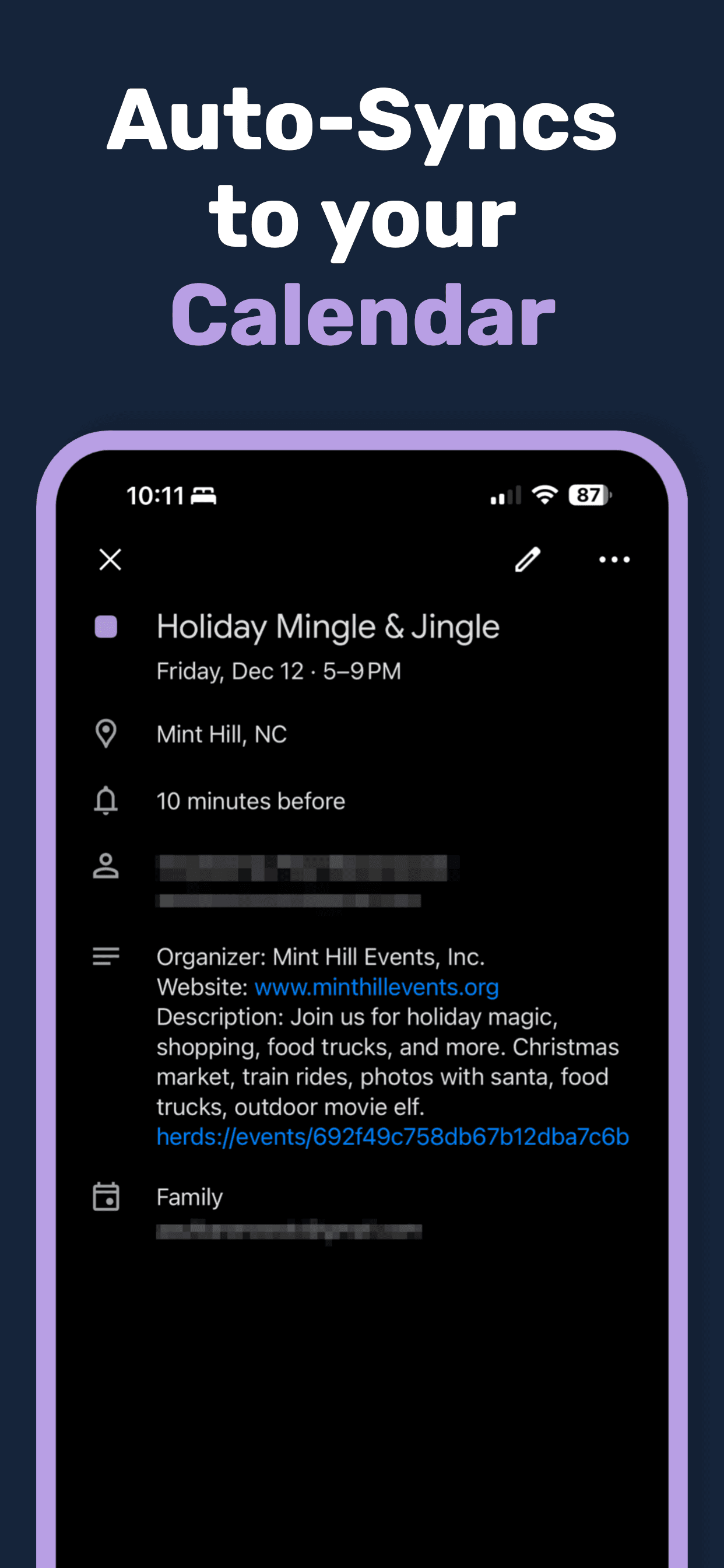
The event syncs to your calendar automatically — no manual typing.
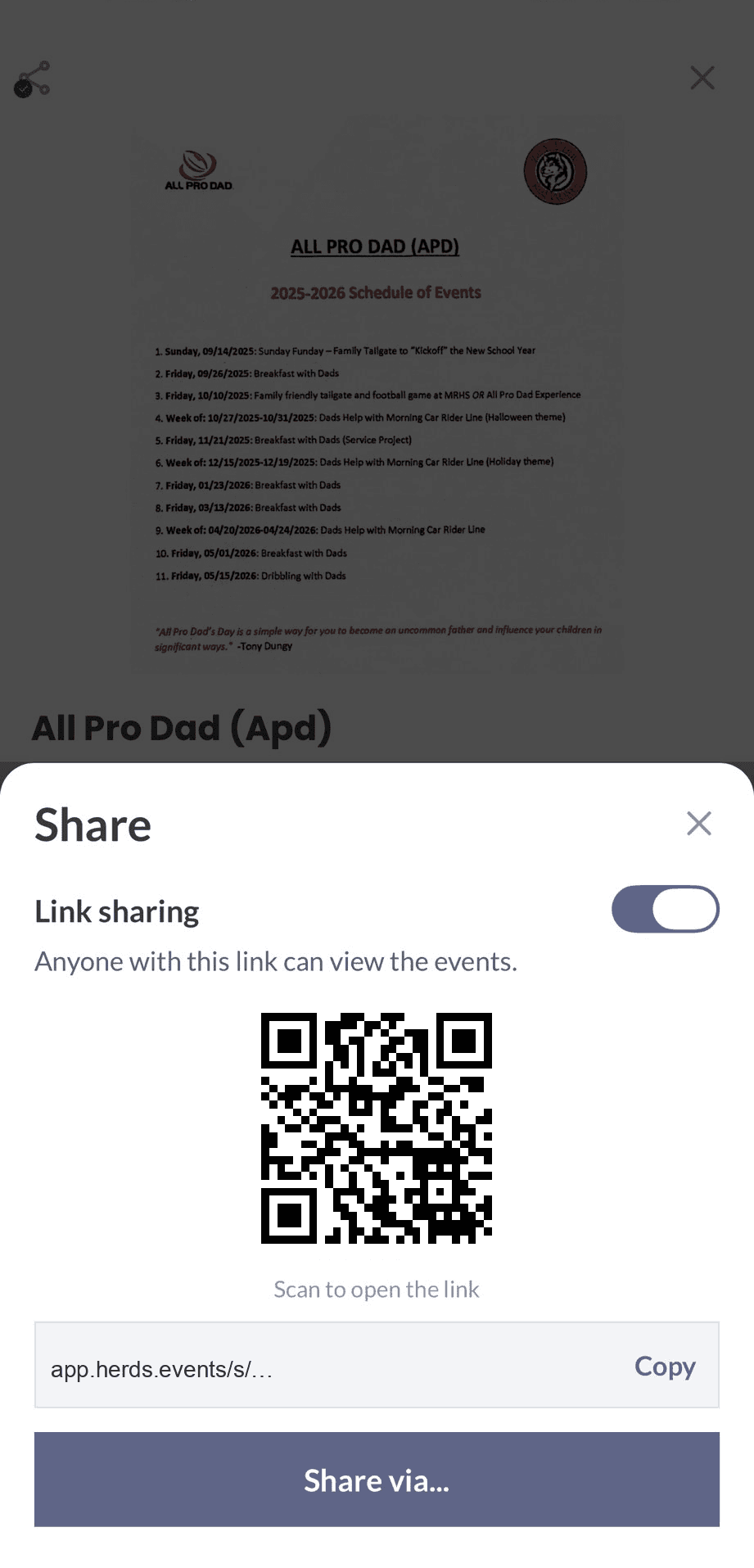
Turn on sharing, then send the link or show the QR. Anyone with the link sees the flyer and the details, then adds the events to their calendar.
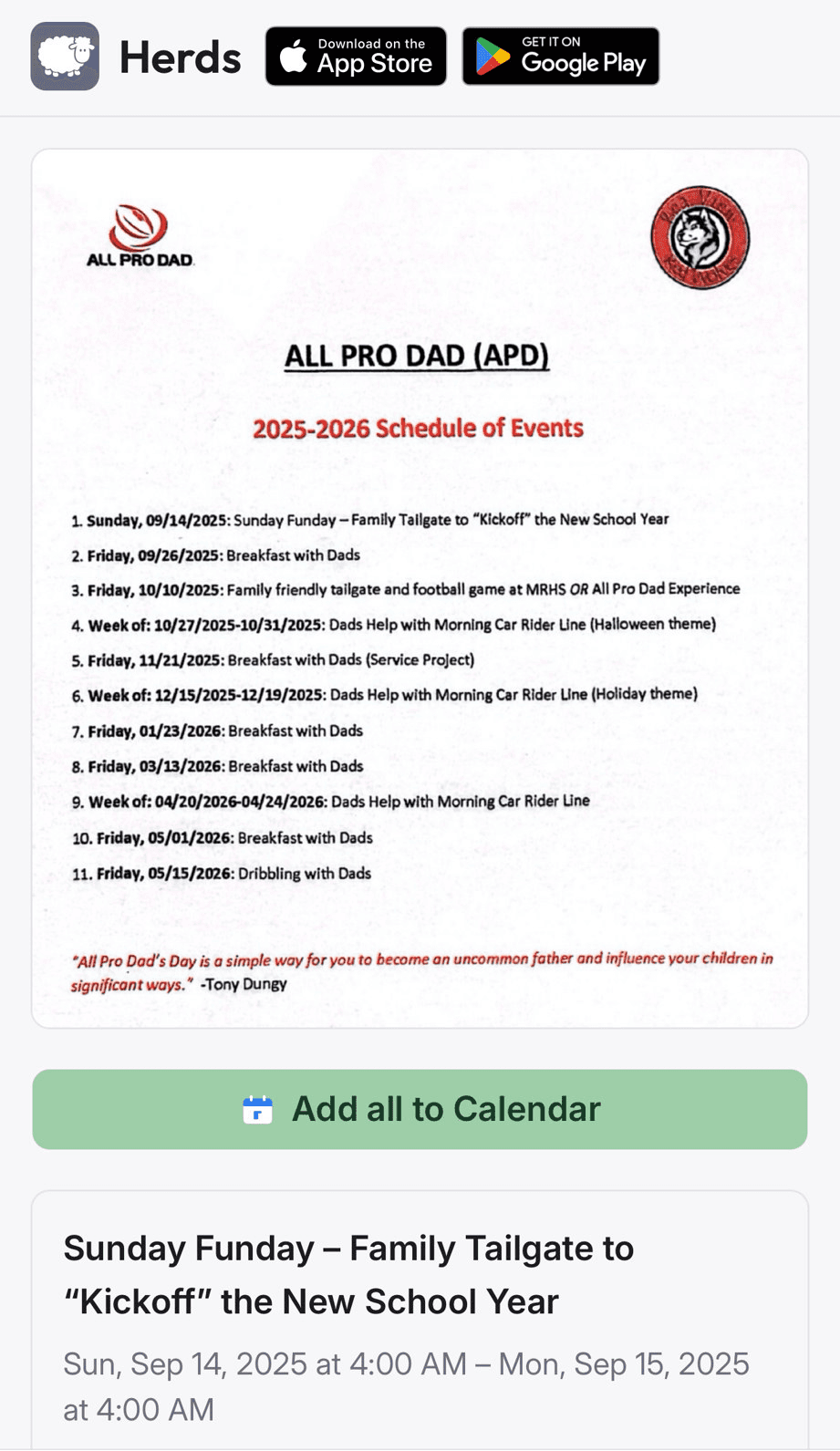
Support for Google Calendar, Outlook, and Apple/iCloud Calendar
Advanced vision AI reads event flyers, posters, and signs to pull out structured event data automatically.
Events are added directly to your phone's calendar — complete with title, date, time, and location.
Turn on sharing and send a link, or show the QR in person. Friends open the page and add the events to their calendar.
One scan, multiple events. Herds extracts every event from a newsletter or flyer, then lets you pick which ones to add to your calendar.
Snap a photo, screenshot a post, or share an image from another app. If it has event info, Herds can read it.
Herds extracts more than just the basics — cost, website, contact info, and additional details when available.
Browse all your scanned events in one place. See what's coming up and never miss what you've captured.
Available on iPhone, Android, as a Chrome extension, and as a command-line tool — so people and AI agents alike can capture events anywhere.
Use Herds on your favorite device — phone, tablet, desktop, or terminal. There's even a CLI built for AI agents.
Join people who are done typing events into their calendar.
“I used to snap pics of flyers and then totally forget about them. Now they're in my calendar before I even walk away.”
Sarah M.
“I love that the calendar event links back to the original poster image. When the event comes up, I can see exactly what it was all about.”
James K.
“Between school events, daycare schedules, sports, and church — I was drowning in flyers. Now I just scan them and everything's in my calendar.”
Mike T.
Got questions? We've got answers.