Take a Pic,
Add to Cal
Snap a photo or screenshot of any event flyer, poster, or social post — Herds uses AI to extract the details and sync it straight to your calendar.
How It Works
From photo to calendar in seconds.
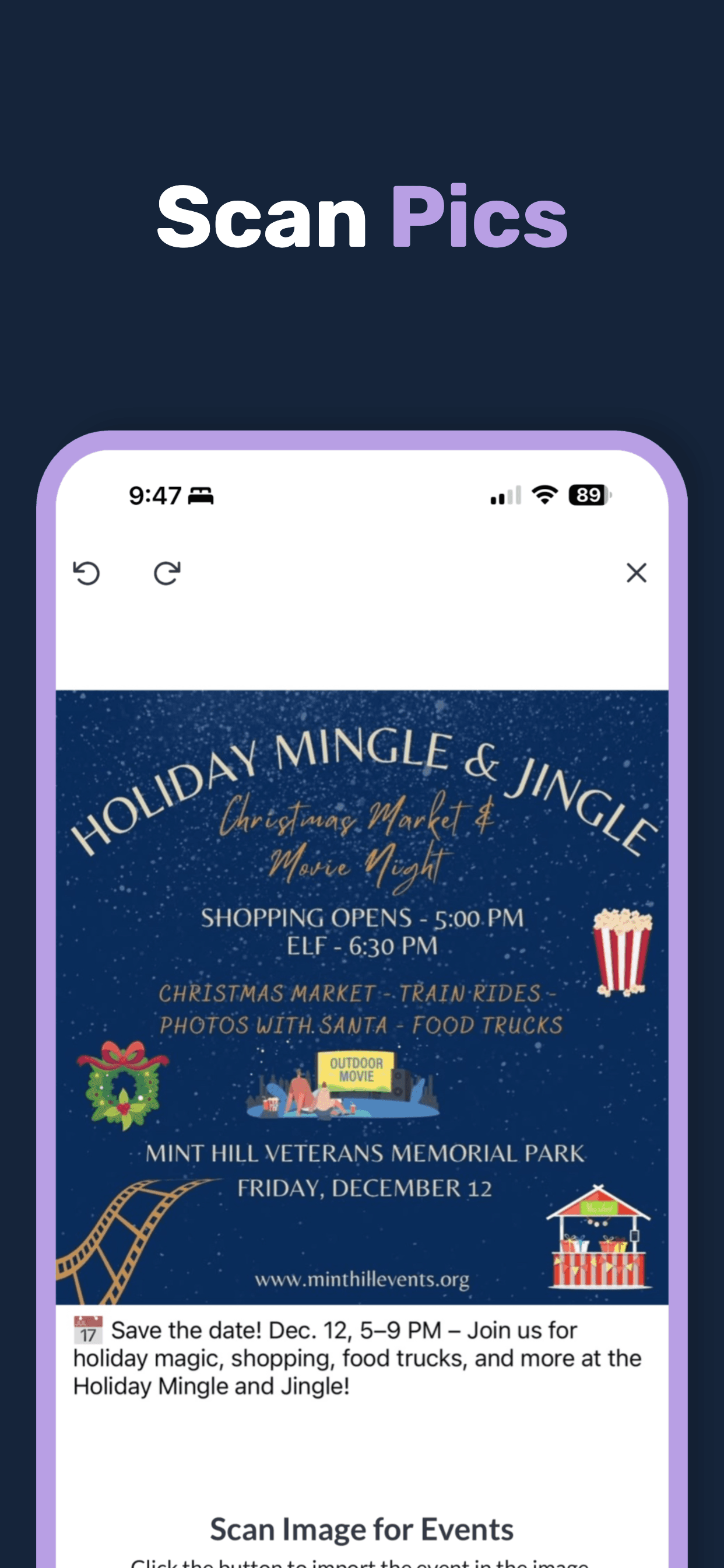
Snap a Photo or Screenshot
Take a picture of any event flyer, poster, or sign — or screenshot an event from social media, a website, or a text.
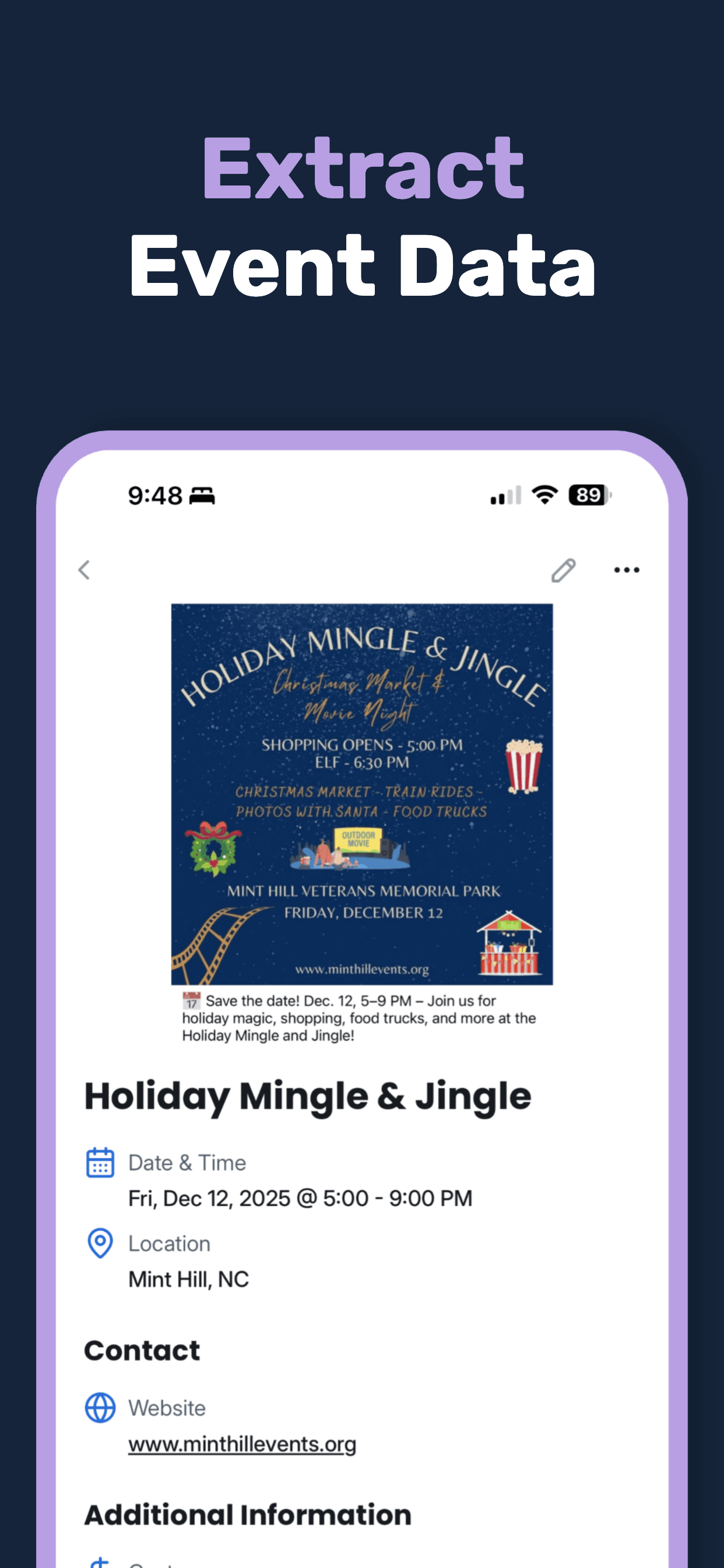
AI Extracts Details
Our AI reads the image and pulls out the event name, date, time, location, and more.
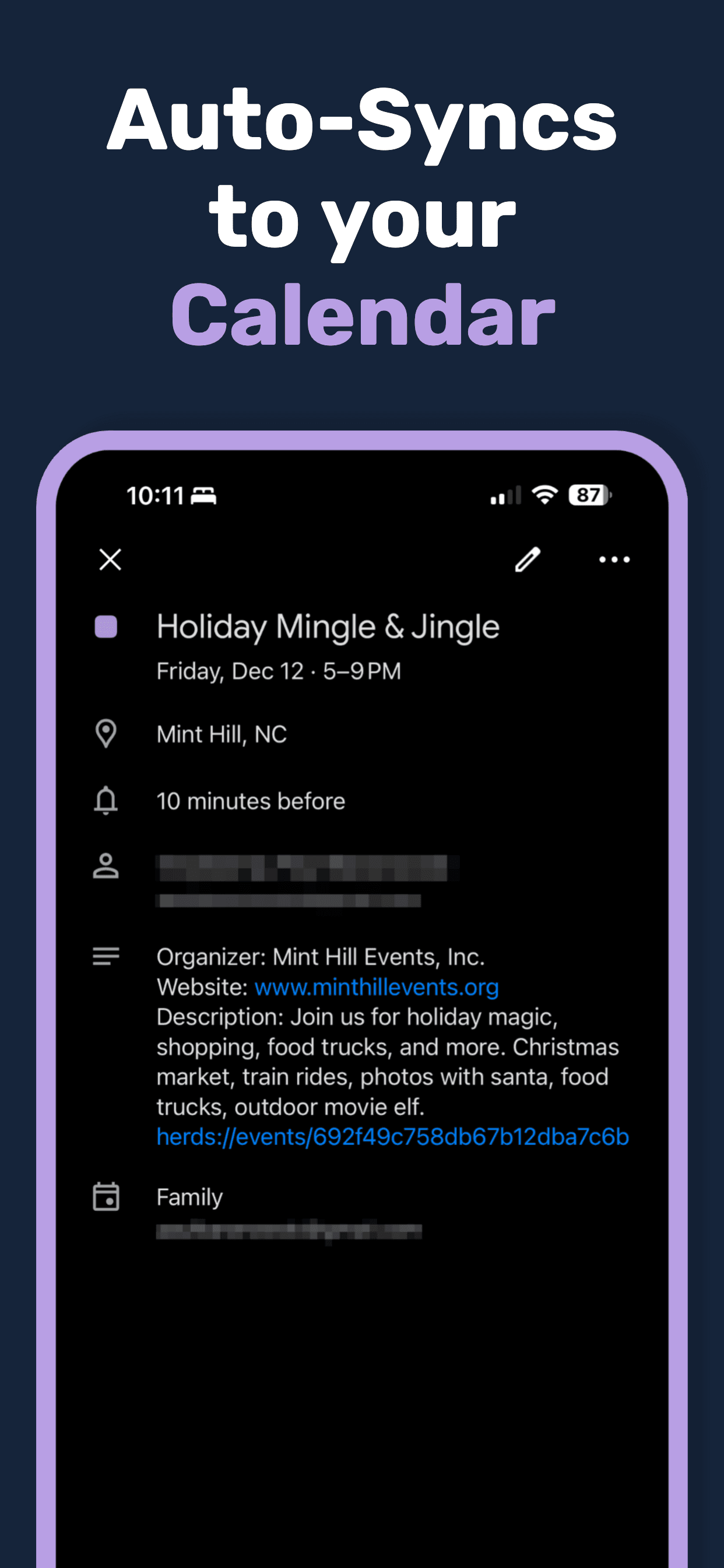
Added to Calendar
The event syncs to your calendar automatically — no manual typing.
Packed with Features
Everything you need to discover and enjoy local events.
AI-Powered Extraction
Advanced vision AI reads event flyers, posters, and signs to pull out structured event data automatically.
Calendar Sync
Events are added directly to your phone's calendar — complete with title, date, time, and location.
Works with Any Image
Snap a photo, screenshot a post, or share an image from another app. If it has event info, Herds can read it.
Smart Details
Herds extracts more than just the basics — cost, website, contact info, and additional details when available.
Event Feed
Browse all your scanned events in one place. See what's coming up and never miss what you've captured.
Works Everywhere
Available on iPhone, Android, and as a Chrome extension for scanning event images while browsing.
Available Everywhere
Use Herds on your favorite device — phone, tablet, or desktop.
What People Are Saying
Join people who are done typing events into their calendar.
“I used to snap pics of flyers and then totally forget about them. Now they're in my calendar before I even walk away.”
Sarah M.
“I love that the calendar event links back to the original poster image. When the event comes up, I can see exactly what it was all about.”
James K.
“Between school events, daycare schedules, sports, and church — I was drowning in flyers. Now I just scan them and everything's in my calendar.”
Mike T.
Frequently Asked Questions
Got questions? We've got answers.